Supplies & inventory
“What are we low on?” — answered every night.
Staff flag the items their station needs before they leave. Management reviews it in the morning, fills what's in stock, and works one shopping list for the rest. Everyone can see where their request stands — no group chat, no sticky notes on the walk-in.
No credit card · 3 months free
How a restock happens
The floor flags it. You fill it. The floor confirms it.
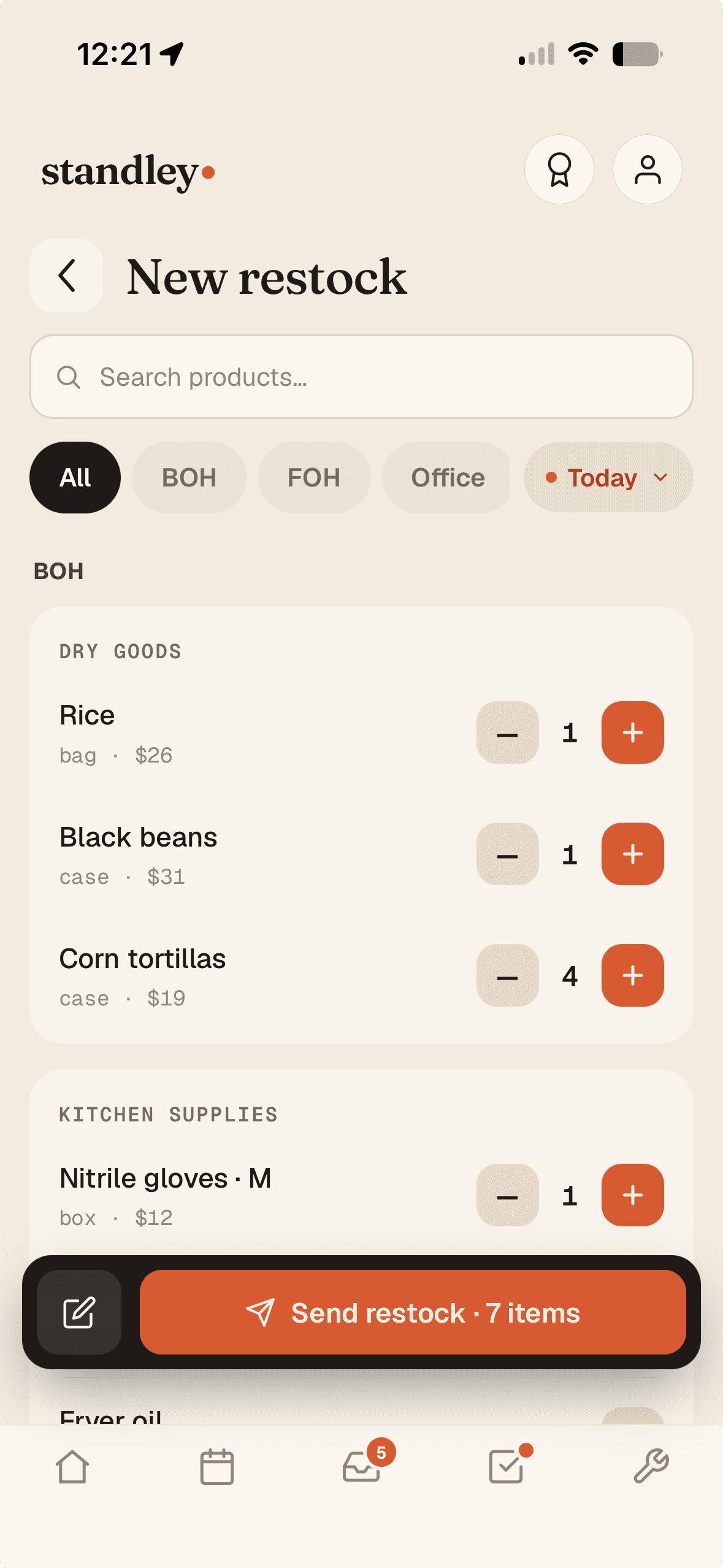
1A station flags what's low
Tap quantities by department and send — twenty seconds at end of shift.
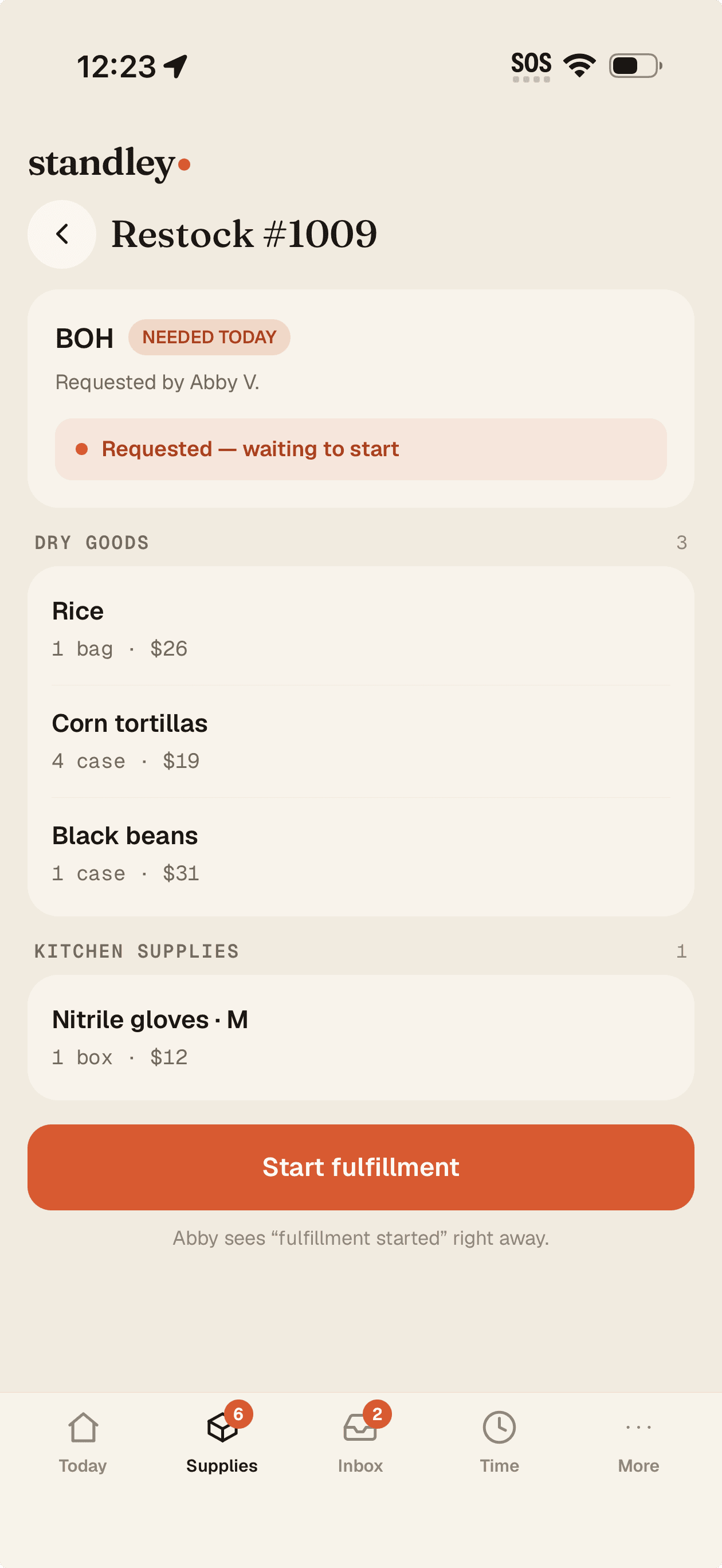
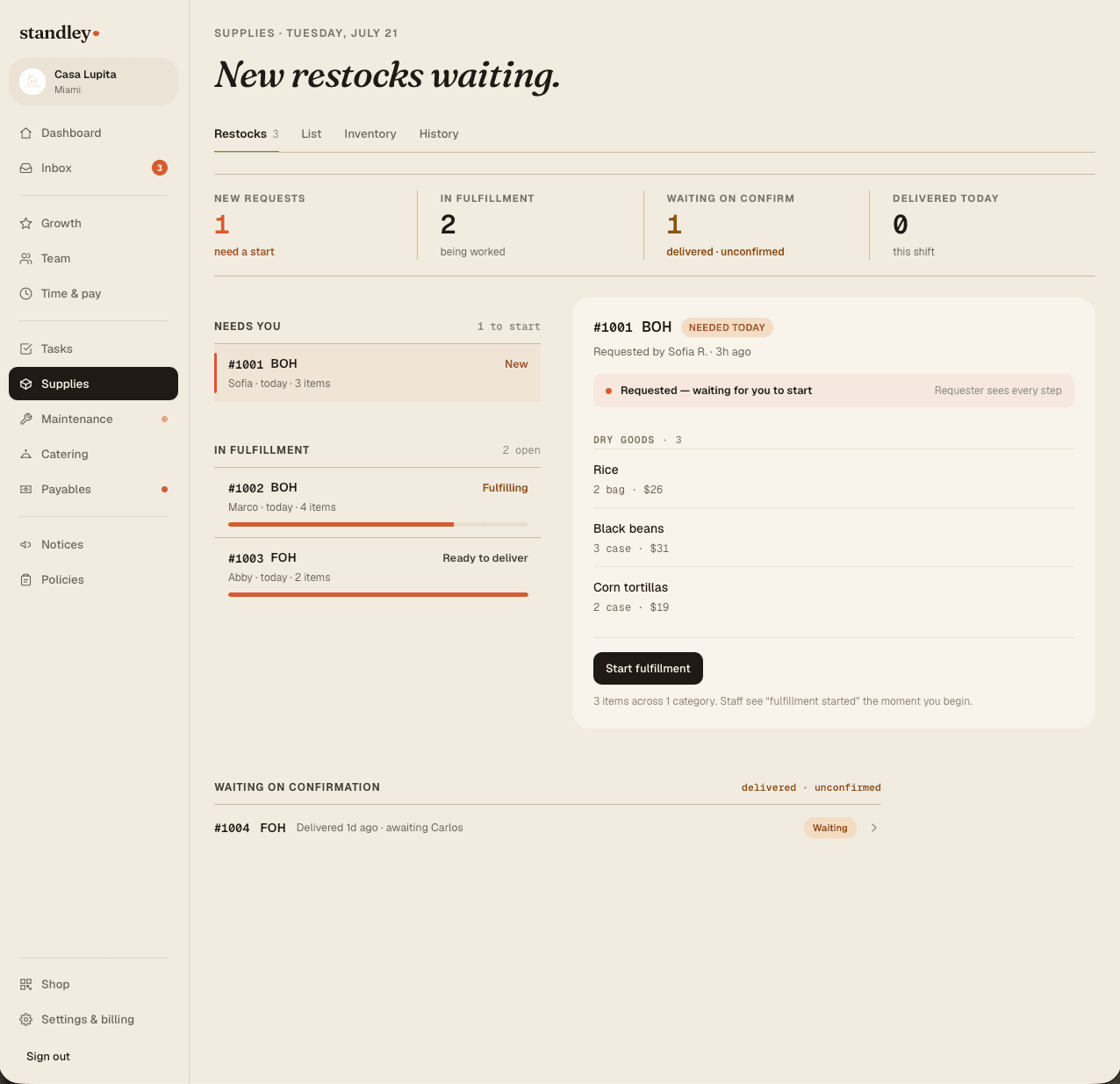
2You start the fulfillment
Fill from stock or send it to the shopping list — staff see every step.
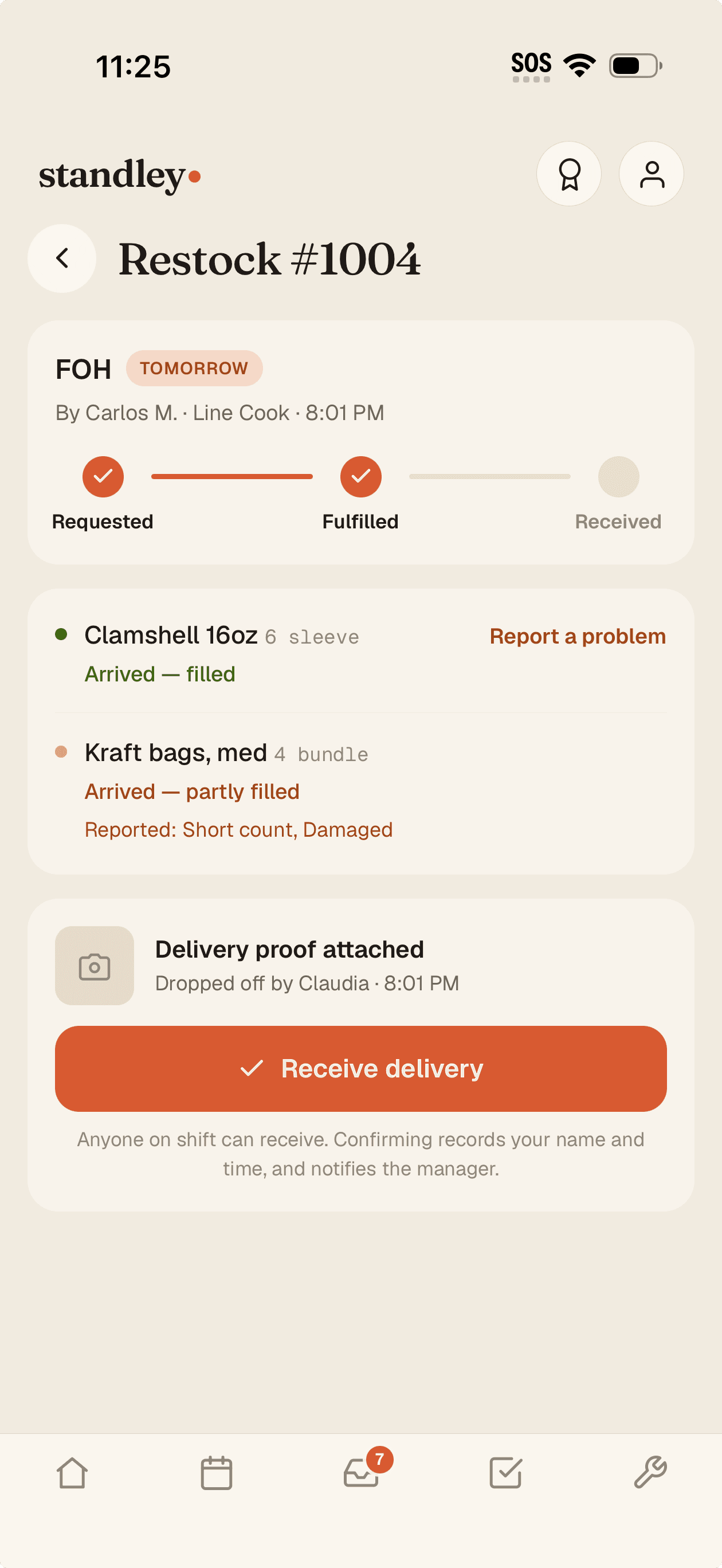
3The floor receives it
Delivered gets confirmed item by item — short counts carry to the next run.
Supplies & inventory
“We're out of limes” becomes a list, not a text at 4pm.
Staff request what's running low from their phone — with an urgent flag when it can't wait. You start the run, fulfill or skip each item, and the shopping list builds itself, vendor links included. Close the day and everyone who asked gets told what came in.
Urgent flags jump the line; every request carries who asked and when
Per-item vendor and a click-to-buy link — the list is ready to shop
Delivery feedback closes the loop: missing or wrong items carry to the next run
The floor asks
Requests come from the people who see the shelves
At the end of a shift, anyone can flag what's running low — pick the item, set a quantity, mark it urgent, add a photo if it helps. Each request gets a number and lands in management's queue. Staff never have to guess who to tell or whether anyone heard them.
One tap from the staff app's home screen — "What are we low on?"
Quantity, urgency, a note, a photo — whatever the request needs
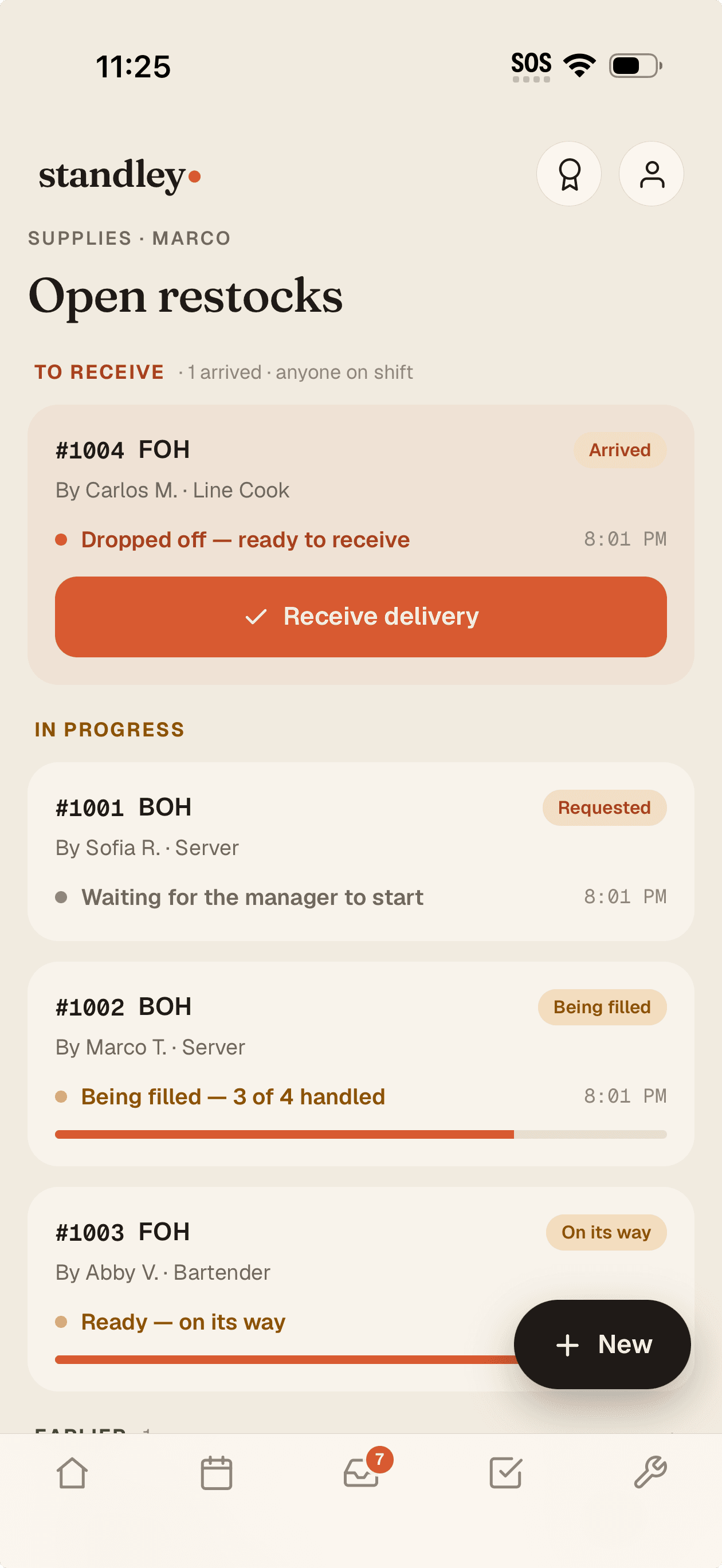
Staff track their request from sent to reviewed to delivered
One list
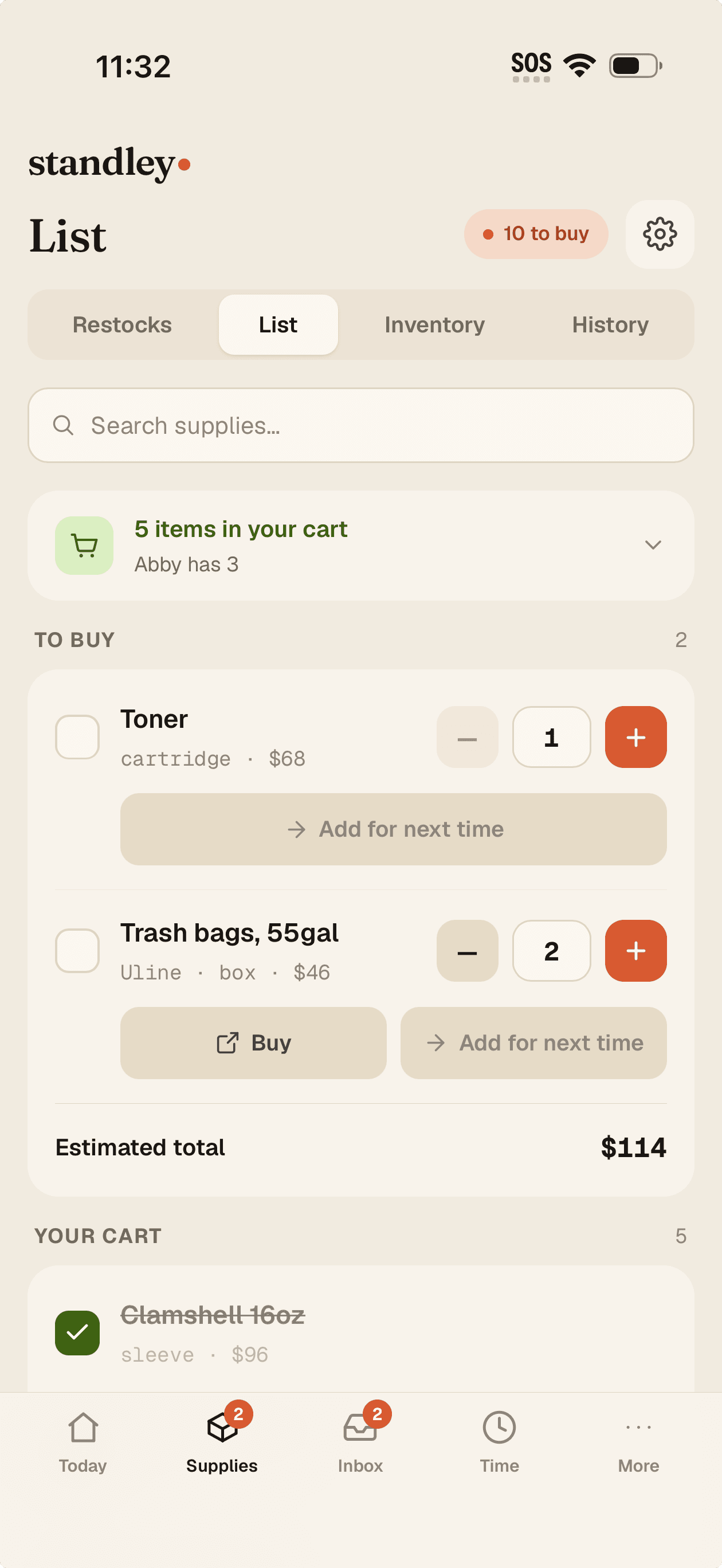
One shopping list the whole team can see
Fill a request from the shelf and stock adjusts on the spot. Everything else rolls into a single shopping list, split into carts by whoever's buying — so two people at the restaurant depot never come home with the same case of limes. Check out your own cart and the inventory restocks itself.
Fulfill from stock, mark for the run, or decline — every request gets an answer
Per-person carts: everyone sees who's buying what
Receipt photo and spend recorded at the end of the run
The count behind it
A running inventory, without inventory day
Every item carries an on-hand count, a par level, and a low-stock line. Deliveries, usage, waste, and corrections all write to a ledger, so the number stays honest. Items that dip below their threshold can add themselves to the next shopping list.
On-hand, par, and low-stock threshold per item
Auto-add low-stock items to the shopping list — or keep it manual
A buy link per item, so reordering from your supplier is one tap
Closed loop
Delivered means confirmed, not assumed
When the run is done, the floor confirms what actually arrived. Missing something, or the wrong thing? Staff report it item by item, and it carries onto the next cycle so it can't fall through. The history keeps every day's requests, runs, and spend.
Common questions
Do staff see stock levels and prices?
No. Staff just flag what their station is low on — pick the item, set the quantity, send. Par levels, on-hand counts, and prices stay on the management side.
Can I keep ordering from my usual suppliers?
Yes. standley doesn't place orders for you — it collects what the floor needs into one list, and each item can carry a link to wherever you buy it. You order the way you always have, with a better list.
What stops two people from buying the same thing?
The shopping list is shared, and when someone puts an item in their cart everyone else sees it. Each person checks out only their own cart, and the inventory restocks from exactly what they bought.
Does this replace a full inventory count?
It keeps a running count that adjusts with deliveries, usage, and waste — and you can post a corrected count anytime. Most days you won't need a clipboard at all.
Stop running supplies through the group chat
Your staff already know what's low. Give them one place to say it — and give yourself one list to work. Free for 3 months — no credit card.
Product
Resources